
Zoals je mischien weet is elke
windows pc op internet zo lek als een vergiet.
Een firewall is een pleister
denk ik.
Hier op deze pagina vinde je
een beschrijving hoe ik mijn router gebouwd heb.
Wat kun je ermee?
De router regelt het verkeer
tussen mijn computers en het internet.
Geen gezeur met winroute of
andere internet deel software.
Er zit een firewall bij in,
zie de resutaten onderaaan de pagina.
Meer dan een 386 met 8 meg aan
geheugen heb je niet nodig.
Je kunt hem van floppy laten
booten, maar een harde schijf werkt wat prettiger.
De software (www.freesco.org)
vind je eenvoudig op het net.
Hier vind je ook info over de
setup.
Vergeet niet de modules op te
halen voor icq enzo!
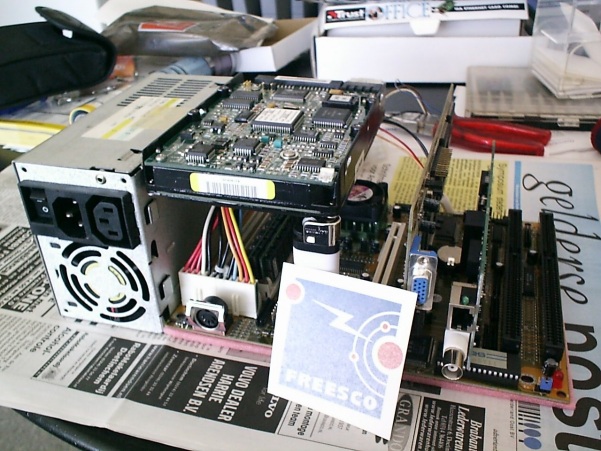
Ik heb een pentium 200 mainbord
met 64 meg ram gebruikt.
I know, tis wat veel, maar het
bordje was lekker compact en goedkoop!
So... let´s get busy,
get your old dusty 386!
Info: http://freesisco.dnsalias.net/
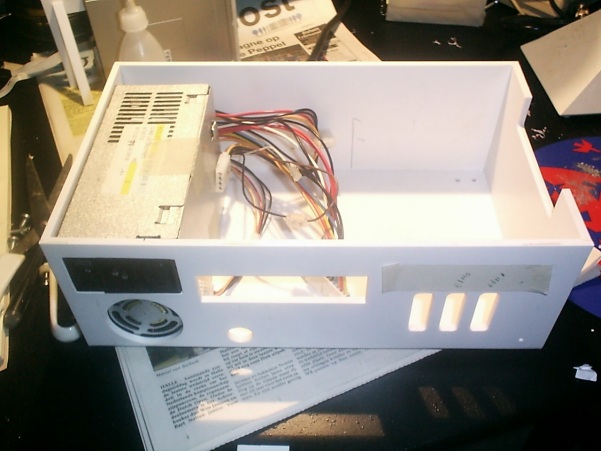
Zo moet ie ongeveer worden denk
ik

Handig als je in de kunstoffen gewerkt hebt, maar een ouwe stoffige 386 kast voldoet ook!
Tijd om alle stuff in te bouwen.
en wel;
1 voeding
1 floppy drive
1 harde schijf
1 Mainbord
2 Netwerk kaarten
1 Vga kaart 2 meg
3 koelers (2 koelers op de proc.
1 in de kast)
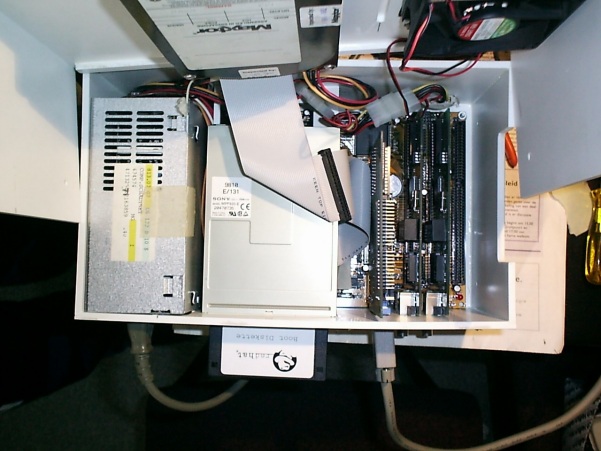
Het kastje zit wel erg vol!
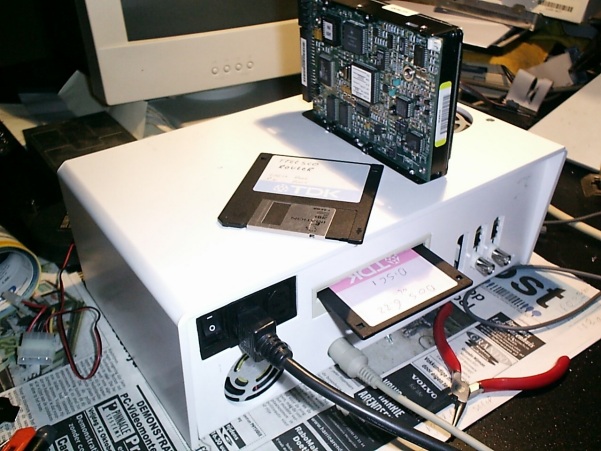
Tijd om de harde schijf in te bouwen, 100 meg is meer dan genoeg!
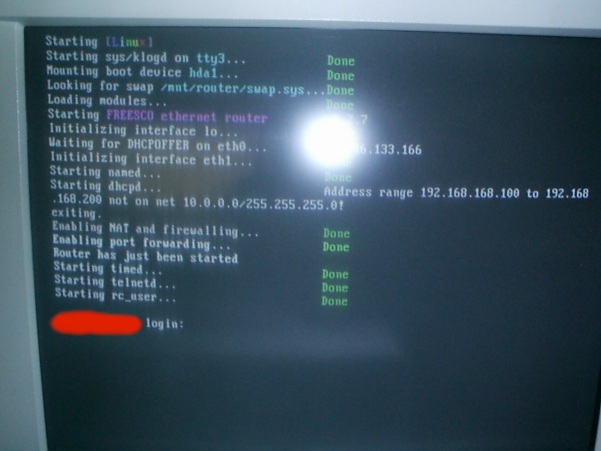
De setup kost wat tijd...., veel tijd, maar dan heb je ook wat
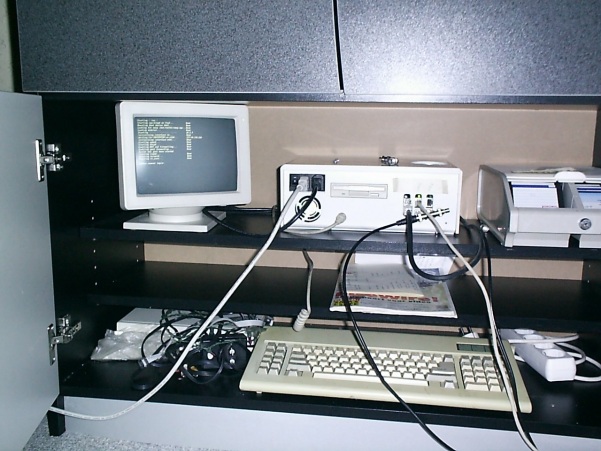
Klaar!!!
Testje gedaan bij
http://grc.com/x/ne.dll?rh1ck2l2
Shields UP! is checking YOUR
computer's Internet
connection security . . . currently
located at IP:
213.--.---.---
Your Internet port 139 does not
appear to exist!
One or more ports on this system
are operating in FULL STEALTH MODE!
Standard Internet behavior requires
port connection attempts to be
answered with a success or refusal
response. Therefore, only an attempt
to connect to a nonexistent
computer results in no response of either
kind. But YOUR computer has
DELIBERATELY CHOSEN NOT TO RESPOND (that's
very cool!) which represents
advanced computer and port stealthing
capabilities. A machine configured
in this fashion is well hardened to
Internet NetBIOS attack and
intrusion
.........Whahahahahahahaha
Unable to connect with NetBIOS
to your computer.
All attempts to get any information
from your computer have FAILED.
(This is very uncommon for a
Windows networking-based PC.) Relative to
vulnerabilities from Windows
networking, this computer appears to be
VERY SECURE since it is NOT
exposing ANY of its internal NetBIOS
networking protocol over the
Internet.
harg harg harg harg ;-)
Your computer at IP:
213.--.---.---
Is being 'NanoProbed'. Please
stand by. . .
Total elapsed testing time: 9.982
seconds
(See "NanoProbe" box below.)
Port
Service
Status Security Implications
21
FTP
Closed Your computer has responded
that this port exists but is
currently closed to connections.
23
Telnet
Stealth! There is NO EVIDENCE
WHATSOEVER that a port (or even any
computer) exists at this IP
address!
25
SMTP
Closed Your computer has responded
that this port exists but is
currently closed to connections.
79
Finger
Closed Your computer has responded
that this port exists but is
currently closed to connections.
110
POP3
Closed Your computer has responded
that this port exists but is
currently closed to connections.
113
IDENT
Closed Your computer has responded
that this port exists but is
currently closed to connections.
135
RPC
Closed Your computer has responded
that this port exists but is
currently closed to connections.
139
Net
BIOS
Stealth! There is NO EVIDENCE
WHATSOEVER that a port (or even any
computer) exists at this IP
address!
143
IMAP
Closed Your computer has responded
that this port exists but is
currently closed to connections.
443
HTTPS
Closed Your computer has responded
that this port exists but is
currently closed to connections.
445
MSFT
DS
Closed Your computer has responded
that this port exists but is
currently closed to connections.
5000
UPnP
Closed Your computer has responded
that this port exists but is
currently closed to connections.!
Och.... als je denkt "ik heb al die zooi niet nodig" lees dit even dan, brrrrrrrrrr..........
The Anatomy of a Windows Attack Zombie
The Zombie program I received was named "rundIl.exe". (Note the capital "I" in the filename.) This struck me as significant since "rundll.exe" is a frequently used and often seen component of Windows systems. Changing the first lower-case 'l' (el) to an upper-case 'I' completely hides the difference under Windows 9x systems because the font used by the Windows registry renders those two characters as a featureless vertical bar. Anyone inspecting the Windows registry for suspicious files will see: "rundll.exe" and miss the fact that it's actually "rundIl.exe". Clever.
My inspection of the 15,904 byte Zombie program
quickly revealed it to be an IRC (Internet Relay Chat) client. So I decided
to sacrifice a PC to the Zombie by deliberately infecting it while keeping
it under observation with a packet sniffer running on an adjacent machine.
I freshly reformatted a laptop, installed a completely clean copy of Microsoft
Windows, named the machine "Sitting Duck" . . . and turned it on.
The Zombie immediately connected with a remote,
pre-programmed, IRC chat server. It then joined
a secret and password key-protected channel on
that server . . . and waited for instructions.
It didn't have long to wait.
I watched in fascination as many other Zombies
—
hundreds of others — arrived and departed the
secret
"Zombie meeting grounds" of the IRC server.
Somewhere, Windows users were innocently turning
on their PC's. Lacking any effective personal firewall security (we will
see later that BlackICE Defender provides no protection), the Zombies running
secretly and silently inside those machines were connecting to this IRC
server. They maintained persistent connections for the duration of that
PC's access to the Internet. The Zombie and its master don't care whether
the machine is cable-connected, DSL, or dial-up — though higher-speed connections
are always preferred, as are machines that tend to be "on" most of the
time. After all, you just never know when you're going to need to go attack
someone.
While I was watching this sad drama, suddenly and with no warning everything went crazy: The packet sniffer's packet display became a blur as its scrollbar "thumb" rapidly shrunk to its minimum size. Thousands of packets were being logged per second! Since I was nervous during this first incursion into hacker territory, my first thought was that I had somehow already been discovered, and my little "Sitting Duck" laptop was under attack.
But the cable-modem I was using to guarantee my anonymity revealed the truth: The RECEIVE light was dark, but the TRANSMIT light was ON SOLID!
I immediately shut down the Zombie-infected PC
and scrolled the packet log back before the beginning of the attack. I
found the command that the Zombie running in my laptop had received just
before all hell broke loose . . .
My laptop had participated in an all-out Denial
of Service attack against a machine in Finland!
Yikes! This was unacceptable. I wanted to keep
active Zombies running here so that I could study their behavior, but I
could not have them participating in Internet Denial of Service attacks.
So I hacked the Zombie to kill its ability to send damaging packets.
From that point on I ran only
"Attack-Neutered Mutant Zombies"
Later that night I received another surprise
. . .